How to turn a PDF into a zoomable document
Upload the PDF to ZoomHub, and its pages become one zoomable document with a link of its own. Readers open the link or your embed, see the pages laid out together and zoom into any of them, with nothing to download.
Try it: 254 pages, one document
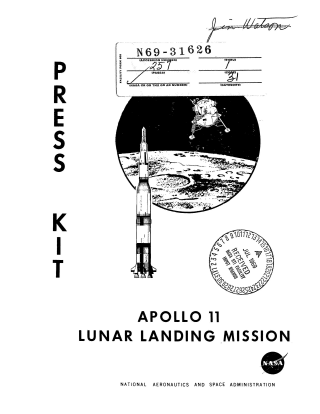
<script src="https://zoomhub.net/v/pd8GpEsUyCo.js?width=100%25&height=480px"></script>
Step by step
Upload your PDF
On the ZoomHub homepage, choose the file or paste a link to it.
Confirm your email
Enter your email address and open the link I send you. If you’re signed in, there’s nothing to confirm.
Open your document
All the pages process at the same time, and the page counts them as they finish. Then they appear together, in rows or in a single strip, and readers can switch between the two.
Share it or embed it
Send the document’s address to share it. To put it on your site, sign in with the email you uploaded with, open the document on your dashboard and choose Create viewer. Copy its embed code and paste it into your page.
The facts
- Pages
- Each page of a PDF counts as an image. Free holds 10 images, Starter 50, Pro 200 and Business 1,000. A PDF longer than your remaining room stops there, and its title says so: “Site plans (10 of 27 pages)”.
- Sharpness
- Pages render at 600 DPI. A very large sheet renders at the highest resolution that fits, down to 150 DPI, so drawing sets and posters stay crisp. Larger sheets are refused.
- File size
- Up to 1 GB per file on Free, and 5 GB on paid plans.
- Cost
- Free for personal use, up to 10 images. Commercial use needs a paid plan.
- Who sees it
- A new upload is Unlisted: only people with the link can see it. Password protection is part of paid plans.
Questions
How many pages can a PDF have?
As many as your plan has room for. Each page of a PDF counts as an image. Free holds 10 images, Starter 50, Pro 200 and Business 1,000. A longer PDF keeps its first pages, and its title shows how many of how many.
Can readers search or copy the text?
No. Each page becomes an image, so its text can’t be searched or selected. Keep the PDF for that, and use ZoomHub for looking at the pages.
Can readers compare two pages?
Yes. On a document’s page, readers pick up to 6 pages and open them in the comparison viewer, side by side or under a curtain they drag.
Does it work on phones?
Yes. The viewer only streams the tiles on the screen, so a large PDF opens on a phone too. Visitors pinch to zoom. In an embed, two fingers move the PDF and one finger scrolls the page; on its own page or in full screen, one finger moves it.
Can I keep the document private?
Yes, on a paid plan. Set a password on it, and readers enter it once to see the document.