How to view and share a gigapixel panorama online
Upload your stitched panorama to ZoomHub, then send its link or paste its embed code into your site. It opens straight away in any browser and zooms to full detail, because the viewer only streams the part on the screen.
Try it: over a gigapixel, with a minimap
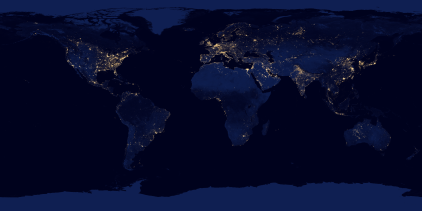
<script src="https://zoomhub.net/v/VjepU8DX3FY.js?width=100%25&height=480px"></script>
Step by step
Export one flat file
Stitch the panorama and export it as a single file. For the largest ones, export a tiled TIFF or a non-interlaced PNG, not a progressive JPEG: JPEG stops at 65,535 pixels a side, and WebP at 16,383.
Upload it
On the ZoomHub homepage, choose the file and enter your email address, then open the link I send you. A very large file takes some minutes to process.
Choose a link or an embed
When your panorama is ready, its page has Link and Embed buttons: Link gives you a permanent address to share, and Embed gives you the code for your website.
Turn on the minimap
In a panorama, it’s easy to lose your place. Under Embed, open More options and set Minimap to On, then copy the code. A small overview then shows visitors where they are.
The facts
- Size
- Panoramas of several gigapixels work. For the largest, export a tiled TIFF or a non-interlaced PNG rather than a progressive JPEG. If a very large file doesn’t go through, contact me.
- File size
- Up to 1 GB per file on Free, and 5 GB on paid plans.
- Formats
- JPEG, PNG, TIFF, WebP, GIF or PDF. A multi-page PDF becomes one zoomable document.
- The embed
- Set its size, fit, zoom limits and minimap with options on its address: see the embed options.
- Cost
- Free for personal use, up to 10 images. Commercial use needs a paid plan.
Questions
Does it show 360° panoramas?
Not as a sphere. ZoomHub shows a flat image you zoom and pan, so a 360° file opens as one wide picture, with no looking around inside it.
Will ZoomHub change or compress my image?
No AI, no upscaling, and your full-size image isn’t resampled. PNG, TIFF and other lossless files stay pixel-exact, transparency kept; photos get high-quality JPEG tiles.
Why not send the file itself?
A gigapixel file is too large to email, and most people have no app that opens one. A ZoomHub link only streams the part on the screen, so it opens on any computer or phone.
Does it work on phones?
Yes. The viewer only streams the tiles on the screen, so a large panorama opens on a phone too. Visitors pinch to zoom. In an embed, two fingers move the panorama and one finger scrolls the page; on its own page or in full screen, one finger moves it.
Can I use it on a commercial site?
Yes, on a paid plan, which also removes the “Powered by ZoomHub” badge. Free is for personal use.