How to put a zoomable map on your website
Upload a high-resolution scan or export of your map to ZoomHub, and it becomes a zoomable image that keeps every pixel. Then paste the embed code into your page, or share the link.
Try it: the Turgot map of Paris
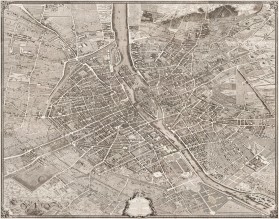
<script src="https://zoomhub.net/a/v48ah4T2Sm1.js?width=100%25&height=480px"></script>
Step by step
Upload your map
On the ZoomHub homepage, choose the file or paste a link to it. JPEG, PNG, TIFF, WebP, GIF or PDF all work.
Confirm your email
Enter your email address and open the link I send you. If you’re signed in, there’s nothing to confirm.
Choose a link or an embed
When your map is ready, its page has Link and Embed buttons: Link gives you a permanent address to share, and Embed gives you the code for your website.
Paste it into your site
Paste the embed code where the map should appear: into your page’s HTML, or into an HTML or code block in your site builder.
The facts
- Formats
- JPEG, PNG, TIFF, WebP, GIF or PDF. A multi-page PDF becomes one zoomable document.
- File size
- Up to 200 MB per file on Free, and 5 GB on paid plans.
- Cost
- Free for personal use, up to 10 images. Commercial use needs a paid plan, from $29 a month. Compare the plans.
- The embed
- One line of HTML puts a viewer on your page. Your image is cut into a pyramid of small tiles, and the viewer only streams the tiles on the screen, so even a very large file opens quickly.
Questions
What resolution should my scan be?
As high as you want visitors to zoom. ZoomHub doesn’t downsize your file, so the finest detail in the scan is the finest detail in the viewer. The file can be up to 200 MB on Free and 5 GB on paid plans.
Does it work on phones?
Yes. The viewer only streams the tiles on the screen, so a large map opens on a phone too, and visitors pinch to zoom and drag to pan.
Can I use it on a commercial site?
Yes, on a paid plan. Free is for personal use; commercial use needs a paid plan, from $29 a month, which also removes the “Powered by ZoomHub” badge.
Can I keep the map private?
Yes, on a paid plan. Set a password on it, and visitors enter it once to see the map.